(Last updated April 17, 2017)
Now you can disable your Caps Lock key in Windows... without any special software, and without having to pry the key off with a screwdriver. Read on to find out how. I also have a page on how to disable the Windows key. And, if you're more interested in something fun, you can turn your Caps Lock key into a Billy Mays key.
Background
Accidentally hitting the Caps Lock key when typing up an email or coding can be maddening. Most people never use it anyway, so why not disable it? In Windows, you can by adding some keyboard scancode mapping information to your Windows registry. A full list is available from Microsoft in this DOC file. To make it even easier, I decided to add some .REG files so you can disable your shift key yourself without needing to muck around with the registry.
Compatibility
This method of disabling the Caps Lock key works with all modern Windows variants: Windows 2000, XP, Vista, 7, 8/8.1. It will not work with Windows 95/98/Me. As with any HKLM registry changes, you'll need administrator priviledges to make them.
Warnings
- These files are provided without warranty. Use them at your own risk.
- These files will overwrite any keyboard mappings you currently have.
- .REG files update your Windows registry. Incorrect changes to the registry may damage Windows or other installed software. Be sure you know what a given .REG file contains before merging it into the registry.
- These files are unsupported, please do not contact me with questions on their use.
Installation / Files
The following files are .reg files. They modify the Windows registry directly. You should download them to your PC (right-click the link and select to Save As or similar). Be sure they save as a .reg file and not as .reg.txt. (If they save as a .reg.txt, just rename them. You may have to disable Windows 'helpfully' hiding extensions.) Next, double-click them to add them to your registry. After saying YES to the message box, reboot your machine and enjoy freedom from Caps Lock annoyances.
- Change Caps Lock into a SHIFT key: caps_lock_to_shift.reg
- For the UNIX Folks:
- Change Caps Lock into a Control key: caps_lock_to_control.reg
- Swap Caps Lock and the left Control key: swap_caps_lock_and_control.reg
- Disable Caps Lock entirely: disable_caps_lock.reg
- Disable Caps Lock and Both Windows keys: disable_caps_lock_and_both_windows_keys.reg
- UNINSTALL: Change Caps Lock Back to Caps Lock: remove_scancode_mappings.reg (Removes all scancode mappings) *This file is also useful for completely reseting all key remappings on a PC with oddly mapped keys.
Note: You can't select an option from here and an option from disabling the Windows key as the mappings will overwrite each other. I've provided a combined file to disable caps lock and the Windows keys above.
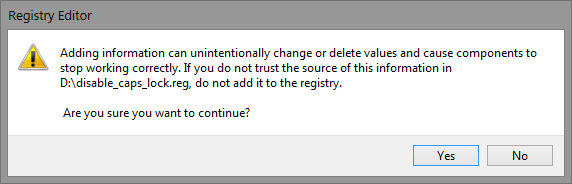
The confirmation message you'll see when opening a .REG file.